

Build firewall policy
Create ordered packet rules, service-class restrictions, and captive exceptions safely.
Access policy decides whether a client may use the network. Firewall policy decides which packets an admitted or pre-login client may send. Keep those responsibilities separate: use Access → Access policies for authorization and Network → Security for traffic filtering.
Understand the three tabs
Select the business, then open Network → Security. The Firewall tab opens first.
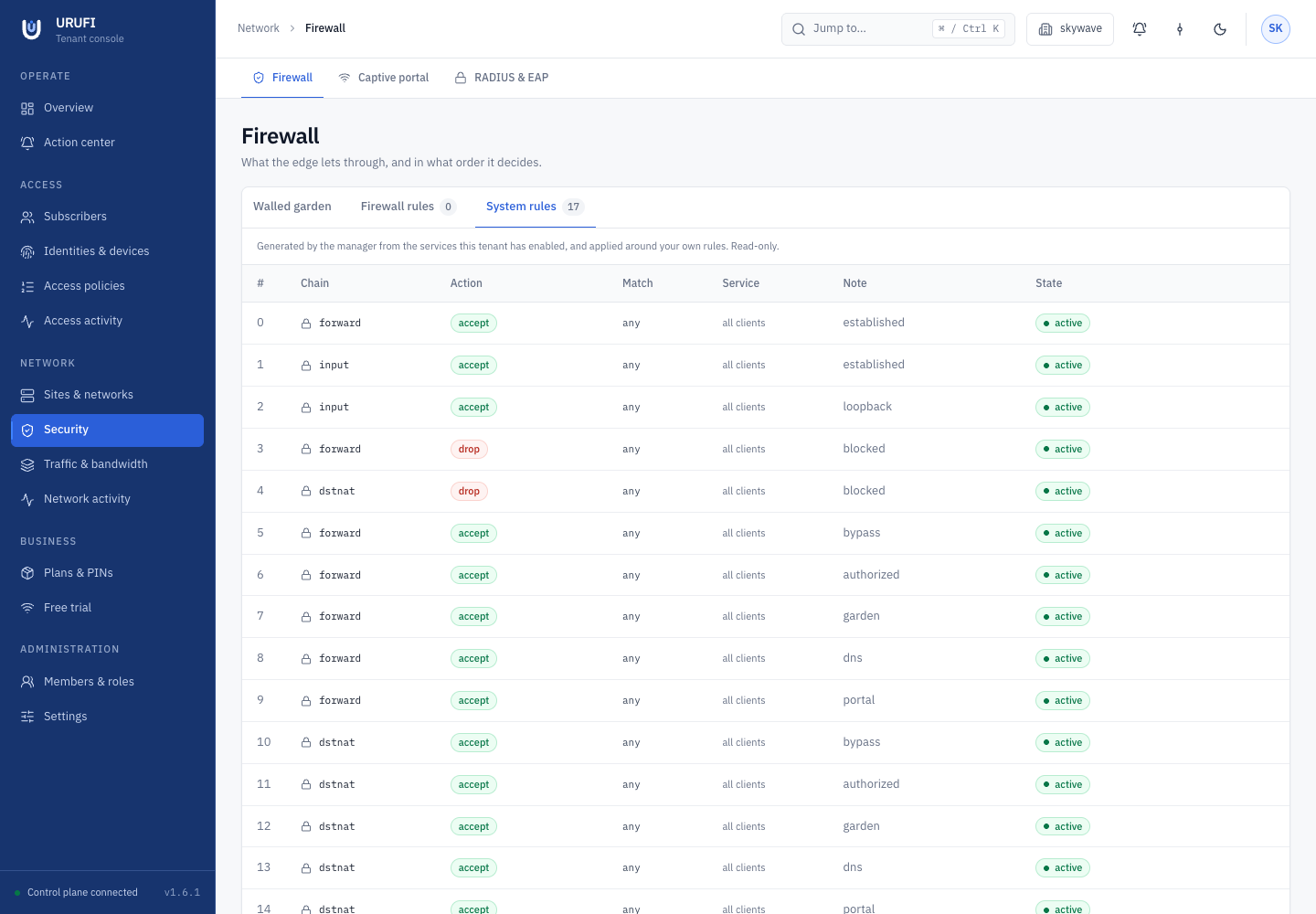
| Tab | Purpose |
|---|---|
| Walled garden | Destinations reachable before sign-in, always allowed, or always blocked |
| Firewall rules | Operator-owned packet rules, evaluated top to bottom after system rules |
| System rules | Read-only DHCP, captive, authorization, NAT, and safety rules generated by URUFI |
System rules protect the enforcement structure and cannot be reordered around operator rules.
1. Add an operator rule
Open Firewall rules, then select Add rule. Leave a match field blank only when matching any value is intentional.
| Field | Guidance |
|---|---|
| Chain | forward for client traffic through the gateway; input for traffic to the gateway; use NAT chains only for deliberate translation |
| Action | accept, drop, reject, dnat, or masquerade as appropriate for the selected chain |
| Protocol | tcp, udp, icmp, or any |
| Source / Destination address | One IP or CIDR; use the narrowest correct scope |
| Source / Destination port | One port or range for TCP or UDP |
| In / Out interface | Optional advanced constraints; use only when the interface identity is stable |
| Source MAC | Optional local source match |
| DNAT to | Translation target used only with the dnat action |
| Service class | One class, or All clients |
| Note | The operational reason for the rule |
| Enabled | Whether the rule is rendered to nftables |
Select Add rule, then use the arrows in the table to put it in the intended first-match order. Place narrow rules above broad ones.
2. Scope treatment with service class
A class-scoped rule affects only clients whose current allow decision carries that
service class. This makes it possible to restrict IoT while allowing Staff, even when
both use the same subnet.
The class comes from the matched access policy. Changing the policy updates class membership without changing the client's DHCP pool or VLAN.
3. Add pre-login destinations
Open Walled garden, select Add rule, choose a kind, and enter a hostname, address, or CIDR as the destination.
| Kind | Effect |
|---|---|
| Walled garden — reachable before sign-in | Lets unauthenticated clients reach an essential portal or payment dependency |
| Always allowed — never gated | Allows the destination regardless of captive authorization |
| Blocked — never reachable | Blocks the destination for every client covered by this policy |
Add only the captive portal and essential dependencies. A broad public range expands what every unauthenticated guest can reach.
4. Test from a client
Wait for the site's network profile to return to Confirmed, then test the rule from a
real client. For example, if the rule blocks ICMP to 1.1.1.1:
ping -c 4 -W 2 1.1.1.1
ping -c 4 -W 2 8.8.8.8
The first destination should fail and the control destination should succeed. Repeat the test from a different service class when the rule is class-scoped.
Test through the gateway
A forward rule matches client traffic crossing the Edge Agent. A command run
on the gateway uses a different chain and does not prove the client policy.
Recover from a bad rule
Disable the rule first, wait for convergence, and prove that traffic recovers before deleting it. If the site is disconnected, it continues enforcing the last known good firewall state; the current complete snapshot is delivered after reconnection.
Troubleshooting
| Symptom | Check |
|---|---|
| Rule never matches | Chain, protocol, address direction, interface, port, and ordering |
| Another rule wins | Move the narrower rule above the broader first match |
| Class-scoped rule affects nobody | Current access decision and selected service class |
| Captive page loads but a dependency fails | Add only that dependency under Walled garden and retest before sign-in |
| Gateway test differs from client test | Test from a client so traffic crosses the forward chain |
Review service classes when filtering should follow a reusable technical tier.