

Configure networks and VLANs
Create native or tagged client networks with safe addressing, DHCP, MTU, and access behavior.
A network describes where clients connect and how they receive an address. It does not decide who is authorized or which commercial plan they use. Those decisions belong to Access → Access policies.
Before you begin
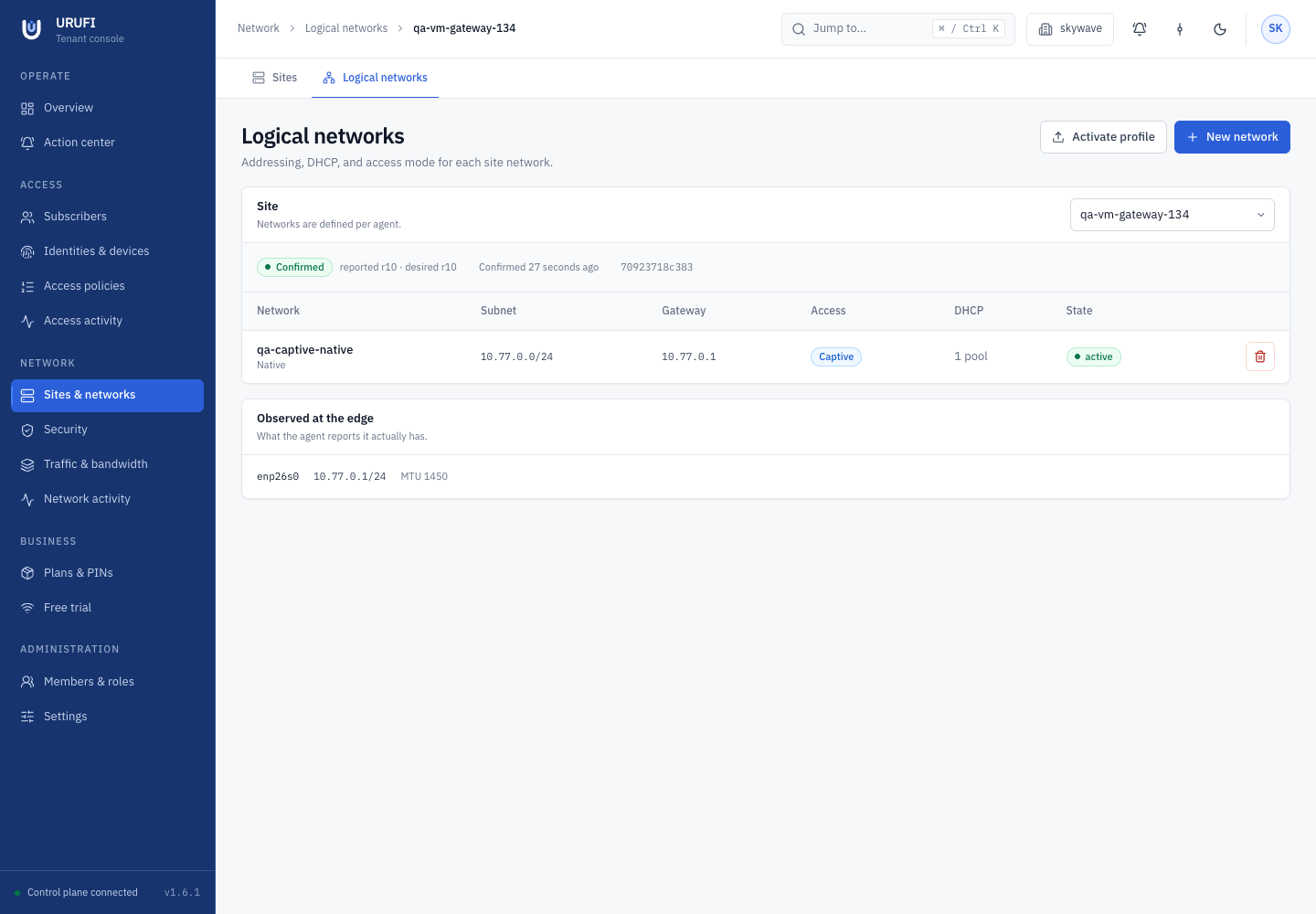
Select the business, then open Network → Sites & networks → Logical networks and choose the site.
The site must be online and report its local topology. The Edge Agent setup owns the physical boundary; the Console works only inside it.
| Local Edge Agent setting | Console network setting |
|---|---|
| LAN parent and WAN uplink | Native or VLAN attachment |
| Access, trunk, or hybrid port mode | VLAN ID allowed by that mode |
| Native address ownership | Subnet and gateway for the native network |
| Allowed VLAN IDs | Addressing and DHCP inside each allowed VLAN |
An empty VLAN allow-list means no managed VLANs. Change the local topology with
sudo urufi-agent initial, then restart the agent before creating networks that depend
on it.
1. Choose the attachment
Use Import native LAN when untagged clients should use the LAN address already
reported by the Edge Agent. Confirm that the network CIDR and gateway match that native
address. For 10.10.0.1/24, use subnet 10.10.0.0/24 and gateway 10.10.0.1.
Use New network and select VLAN (tagged) when an AP or switch carries a tagged client network to the gateway. The site must use trunk or hybrid mode, and the VLAN ID must be present in the local allow-list.
| Port mode | Supported client networks |
|---|---|
access | One native untagged network |
trunk | Allowed tagged VLANs; native only when a native address is configured |
hybrid | One native network plus allowed tagged VLANs |
The switch and AP must carry the same VLAN to the gateway. URUFI creates and owns its managed VLAN interface; it does not adopt an unrelated interface simply because its name or VLAN ID looks similar.
2. Enter addressing
In the network form, complete:
| Field | Guidance |
|---|---|
| Name | A clear site-facing name, such as Guest WiFi |
| Attachment | Native (untagged) or VLAN (tagged) |
| VLAN id | 1–4094; required for a tagged network and allowed by the site |
| Subnet (CIDR) | Canonical client subnet that does not overlap another site network or WAN |
| Gateway | A usable address inside the subnet; never include it in a DHCP pool |
| Primary / Secondary DNS | Resolvers reachable by clients; captive networks need at least one |
| MTU | 1500 normally; lower it only when the complete path requires it |
| Lease duration (seconds) | 3600 is a practical initial value |
Use a bounded subnet for each broadcast domain. A /24 is usually easier to operate than
one very large shared subnet. Tagged traffic needs a path that can carry its frame size;
use a lower MTU only when the physical or overlay path requires it.
3. Choose how clients enter
Set Access mode according to the network's purpose:
| Mode | Behavior before authorization |
|---|---|
| Open — no gate | Clients are admitted without an access decision; use only for intentionally open or trusted segments |
| Captive — redirect to the portal | Clients receive an address but ordinary HTTP is redirected until authorization |
| Authorized — only known devices | Only devices with a current allow decision may pass; there is no portal redirect |
Access mode controls the network's entry behavior. The ordered rules under Access → Access policies remain the authority for identity-aware allow or deny decisions.
4. Configure DHCP
Enable Serve DHCP only when URUFI is the DHCP authority on this segment. Under Address pools, add at least one enabled range with a name, start, end, and priority.
Every range must stay inside the subnet and exclude the gateway, network address, broadcast address, and other pools. Multiple pools create reserved gaps in the same network; they are not separate plans or bandwidth tiers.
Leave Serve DHCP off when another trusted system owns allocation. The Edge Agent can still enforce routed policy, but address-to-device visibility must remain accurate for the chosen access design.
5. Save and activate
Leave Enabled on, save the network, then select Activate profile. Activation sends the complete desired network profile for that site, not only the last row you edited.
Wait for:
Confirmed
reported revision = desired revision
The Edge Agent acknowledges the revision only after validating and applying interfaces, addresses, firewall, DHCP, captive behavior, and shaping state. If the page shows Failed, use its structured error; the previous last known good profile remains active.
6. Test one client
Renew the client's lease after changing a subnet, pool, DNS server, or MTU. On a Linux test client:
sudo nmcli connection down CONNECTION_NAME
sudo nmcli connection up CONNECTION_NAME
ip -4 address
ip route
Confirm the address belongs to the intended pool, the gateway and DNS are correct, and the access behavior matches the selected mode. For policy-controlled access, continue in Access → Access activity and verify the resulting decision.
Existing leases are protected
URUFI does not silently discard active leases to make an unsafe subnet or pool shrink succeed. Release the affected leases deliberately, or wait for them to expire, then apply the change again.